Folded pamphlets

Tips & Tricks
Folded pamphlets
When you're creating your pamphlet file, there are a few things you'll want to keep in mind. Here's the good news, it's likely easier than you think!
Whether you're making a simple half-fold or a more complex Z-fold, you only need to submit one file with all your pages laid out flat, side by side. No need to create separate files or split pages up into individual sections.
We'll take care of the rest!
Here's what we need from you:
- One flat file with all your panels arranged side by side (we'll show you exactly how below for different fold types)
- Make sure to follow the panel order shown in our guides
- Include bleed on all edges (3mm as usual)
Half Fold
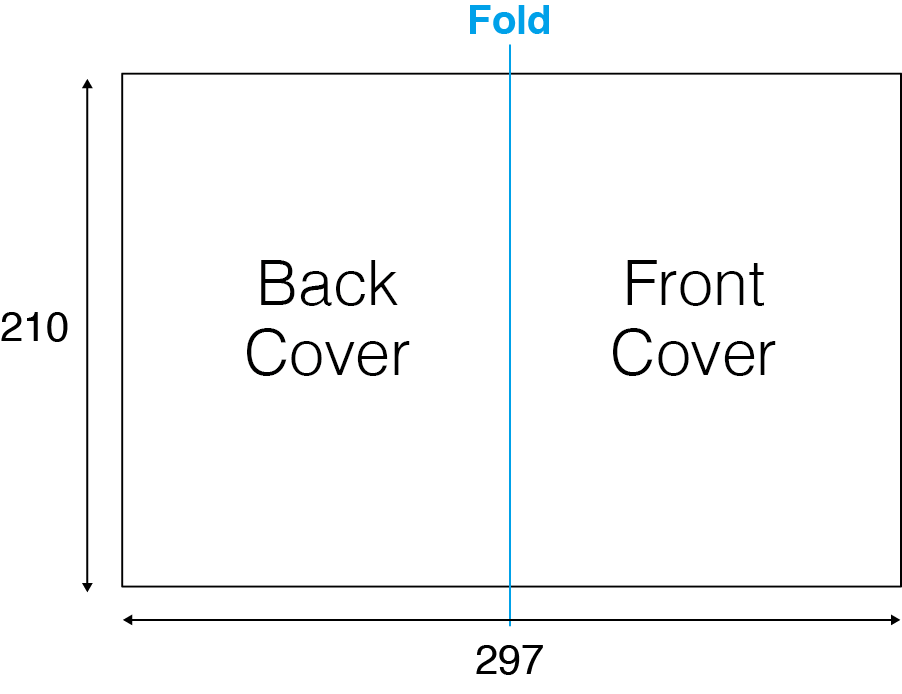
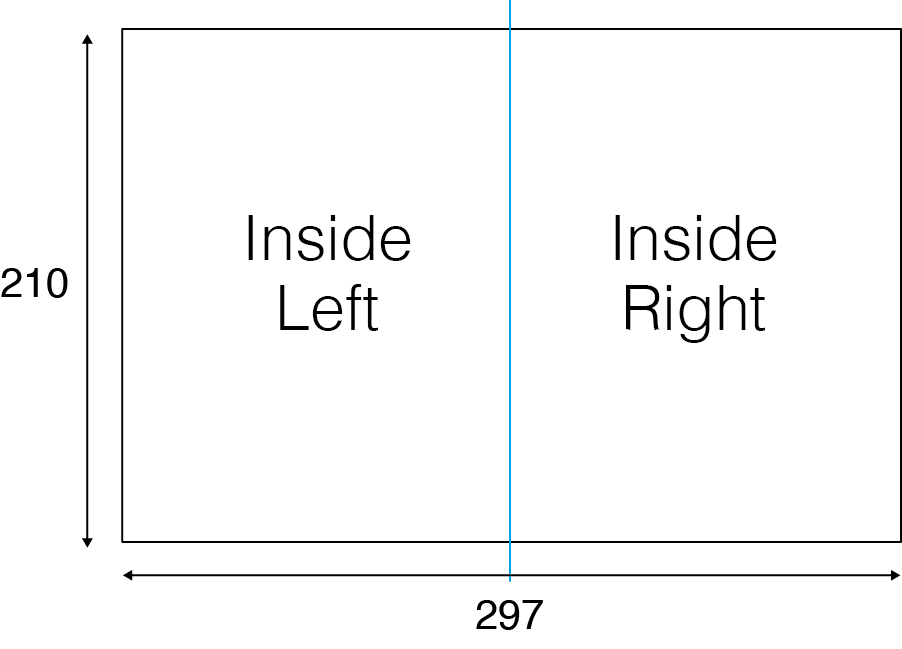
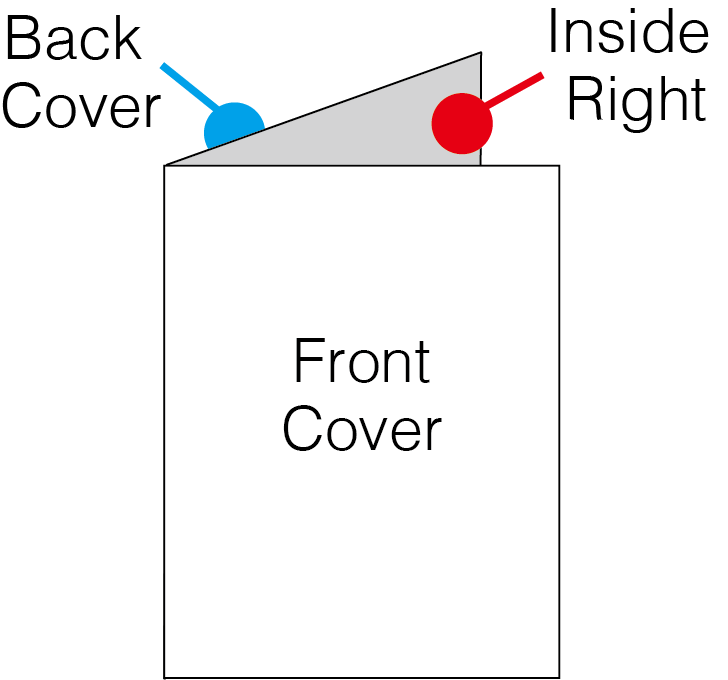
The half-fold is the simplest type, your pamphlet is folded once down the middle.
Important tip: The right half of the file becomes the front cover, and the left half becomes the back cover. It's easy to mix these up, so double-check before submitting!
When designing, remember that after folding, the panels on the left and right will meet in the middle. If you have images or text spanning across both panels, keep in mind they'll be separated by the fold.
Outside
TOP
BOTTOM
Inside
TOP
BOTTOM
After Folding
Trifold or letter fold
The trifold (also called a letter fold) is folded twice, creating three panels on each side. Think of it like folding a letter to fit in an envelope!
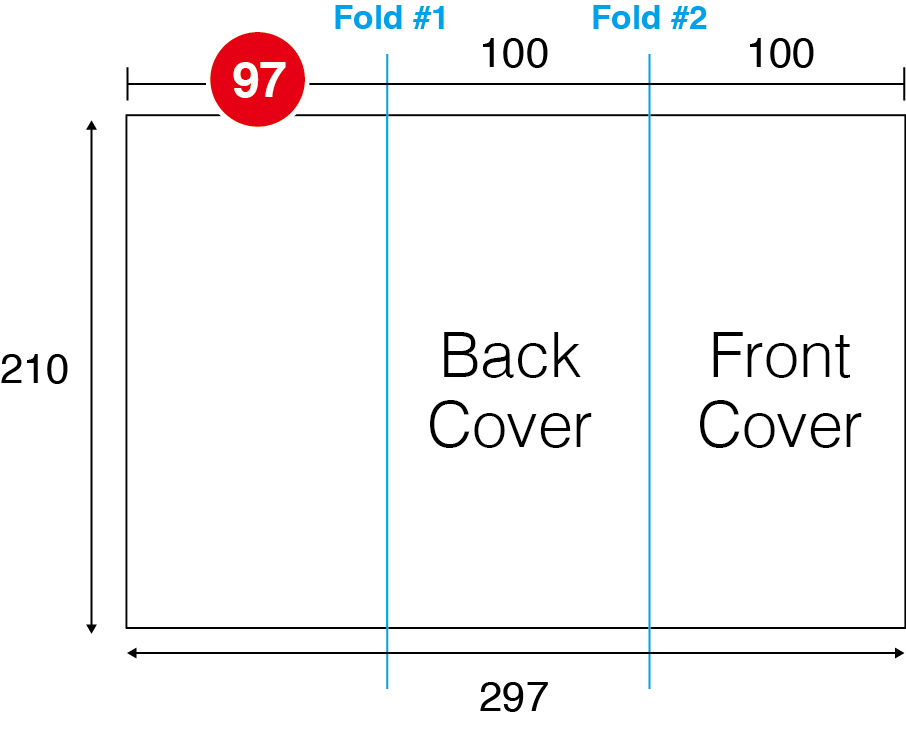
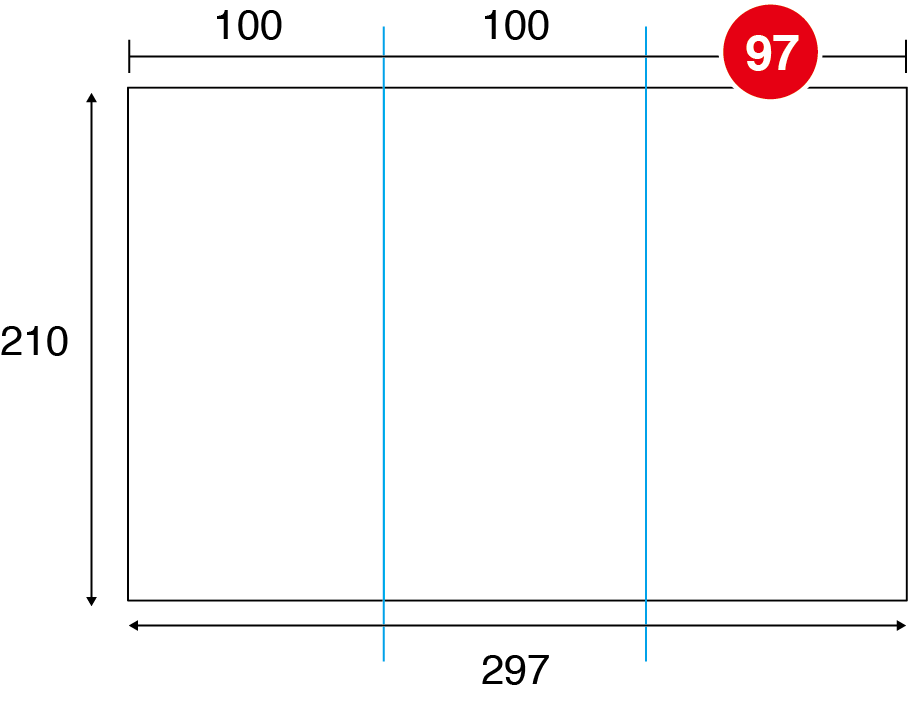
Here's how the panels work: The right panel folds inward first, then the left panel folds over the top. This means the center panel on the outside becomes your front cover.
Design tips:
- Pay close attention to which panel becomes the front cover (marked in our diagram)
- The panels aren't always equal widths! The panel that folds inside is typically about 2-3mm narrower to ensure a clean fold
- If your design has elements that span across panels, remember they'll be interrupted by the folds
Outside
TOP
BOTTOM
Inside
TOP
BOTTOM
After Folding
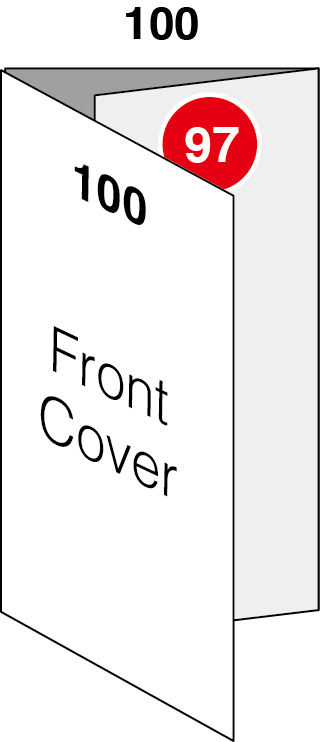

Tips to avoid text misalignment you need to avoid the following:
- Don't run text across the folds or panels
- Avoid placing important elements right on the fold lines (they can get lost in the crease)
- When text runs across the fold you may
A) lose the text or
B) lose legibility.
Z-folds (6 page)
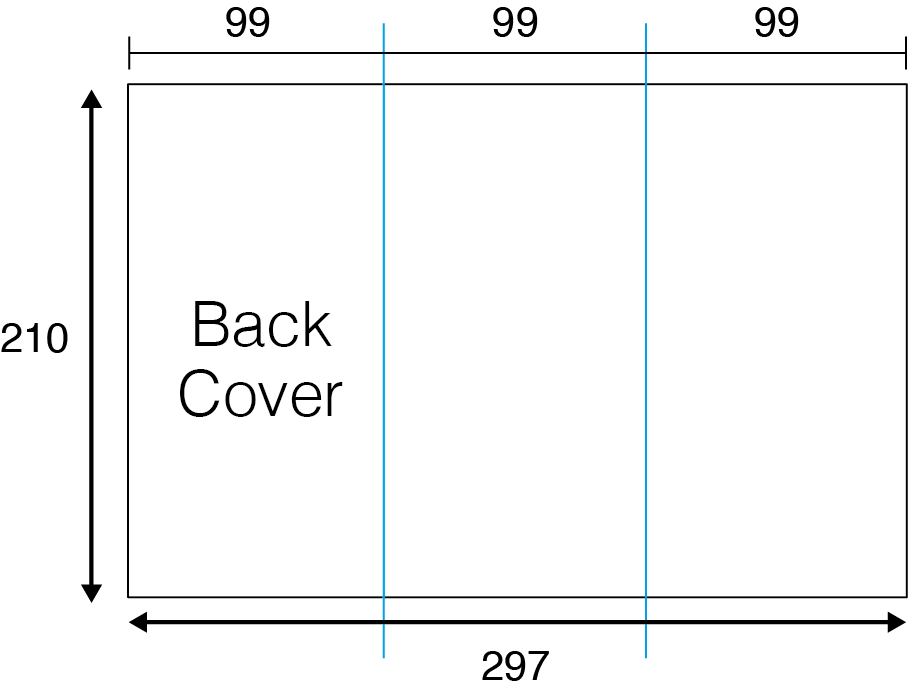
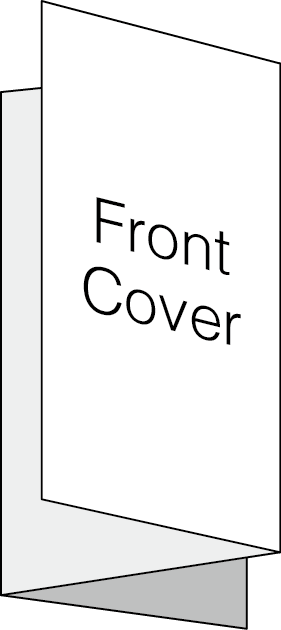
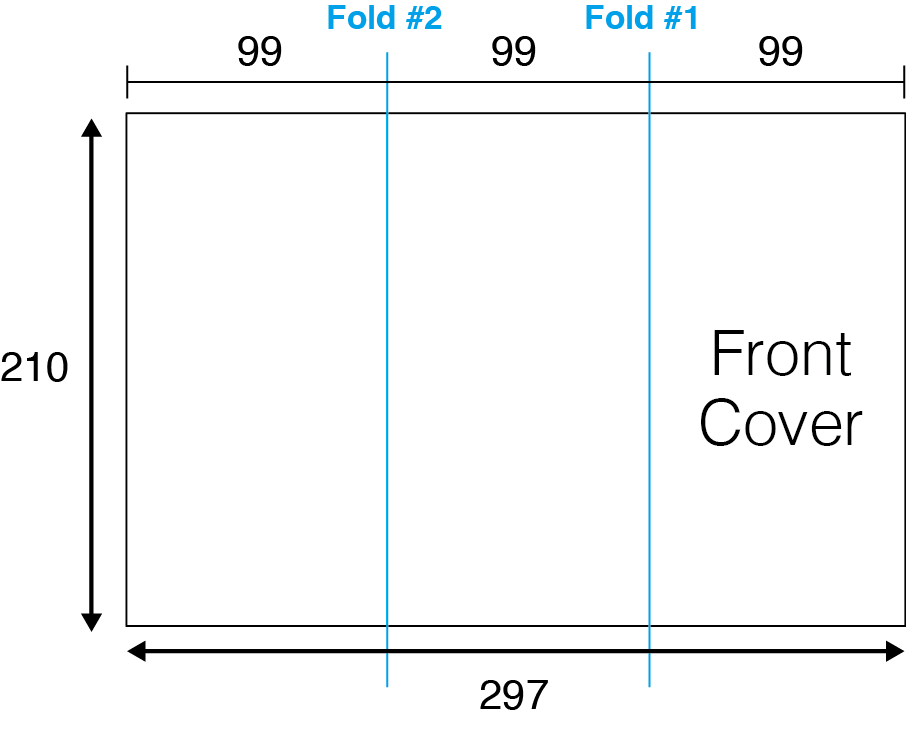
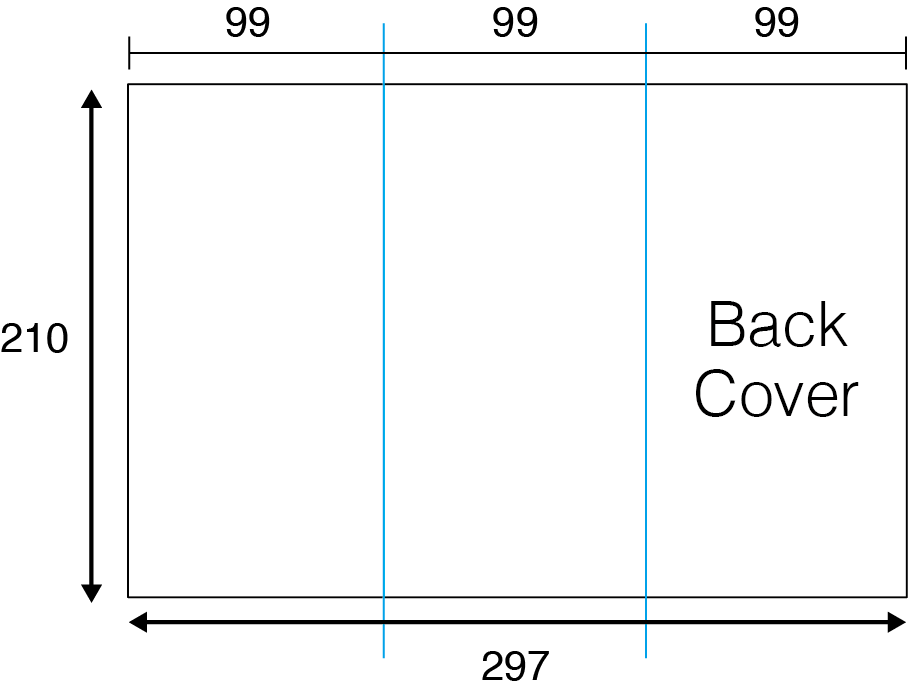
A Z-fold gets its name because when viewed from the side, it looks like the letter "Z"! This fold creates six panels total, three on each side.
How it folds: The right panel folds inward, then the left panel folds in the opposite direction (hence the "Z" shape). Unlike the trifold, the panels alternate which direction they fold.
Design considerations:
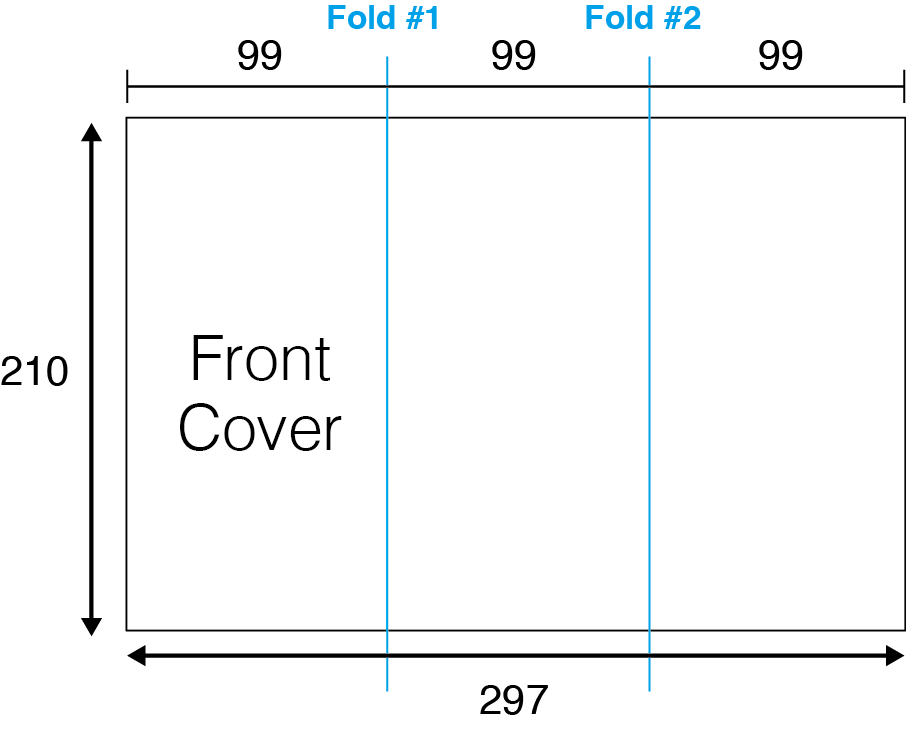
- Each panel should work as its own section since the fold pattern means they won't all be visible at once
- The panel marked as your front cover in our diagram is what people see first
- Like the trifold, the panels that fold inward may need to be slightly narrower (about 2-3mm) for a clean finish
BOTTOM
TOP
BOTTOM
Inside
TOP
BOTTOM
After Folding
BOTTOM
TOP
BOTTOM
Inside
TOP
BOTTOM
After Folding
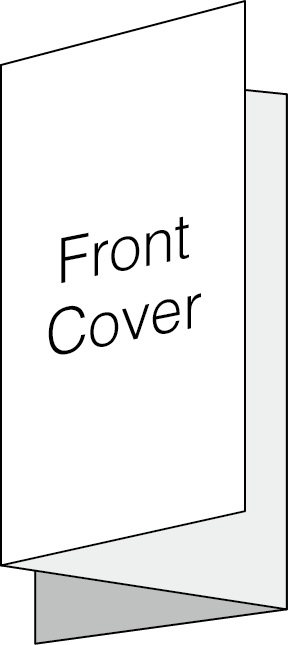
Tips to avoid text misalignment you need to avoid the following:
- Don't run text from the front cover onto the inside front.
- Don't run text from the back cover onto the inside back.
- When text runs across the fold you may
A) lose the text or
B) it may bend.
Folding Guidelines
Here are a few helpful tips to make your folded pamphlets turn out perfectly:
- Height vs. Width: The long edge is the width, and the short edge is the height. We know it can feel backwards!
- Folding tolerance: Just like with binding, folding has a natural margin of error (about +/- 1-2mm). Avoid placing critical design elements or text right on the fold line.
- Panel sizing: For trifolds or other similar folding brochures, the panels that fold inside need to be slightly narrower (typically 2-3mm less) than the outer panels. This prevents the folded edge from buckling or sticking out. Check our sizing charts below for exact dimensions!
Half Fold Brochures
| Size Name | Open Size (WxH) | Closed Size (WxH) | Panel Widths |
|---|---|---|---|
| Half folded to CD (4pp) | 240 x 120mm | 120 x 120mm | 120mm / 120mm |
| Half folded to A6 (4pp) | 210 x 148mm | 105 x 148mm | 105mm / 105mm |
| Half folded to DL (4pp) | 198 x 210mm | 99 x 210mm | 99mm / 99mm |
| Half folded to A5 (4pp) | 297 x 210mm | 148.5 x 210mm | 148.5mm / 148.5mm |
| Half folded to A4 (4pp) | 420 x 297mm | 210 x 297mm | 210mm / 210mm |
Trifold Brochures
| Size Name | Open Size (WxH) | Closed Size (WxH) | Panel Widths |
|---|---|---|---|
| Trifolded to DL (6pp) | 297 x 210mm | 100 x 210mm | 100mm / 100mm / 97mm |
| Trifolded to CD (6pp) | 357 x 120mm | 120 x 120mm | 120mm / 120mm / 117mm |
| Trifolded to A6 (6pp) | 312 x 148mm | 105 x 148mm | 105mm / 105mm / 102mm |
| Trifolded to A5 (6pp) | 441 x 210mm | 148 x 210mm | 148mm / 148mm / 145mm |
| Trifolded to A4 (6pp) | 627 x 297mm | 210 x 297mm | 210mm / 210mm / 207mm |
Z-Fold Brochures
| Size Name | Open Size (WxH) | Closed Size (WxH) | Panel Widths |
|---|---|---|---|
| Z-folded to DL (6pp) | 297 x 210mm | 99 x 210mm | 99mm / 99mm / 99mm |
| Z-folded to CD (6pp) | 360 x 120mm | 120 x 120mm | 120mm / 120mm / 120mm |
| Z-folded to A6 (6pp) | 315 x 148mm | 105 x 148mm | 105mm / 105mm / 105mm |
| Z-folded to A5 (6pp) | 444 x 210mm | 148 x 210mm | 148mm / 148mm / 148mm |
| Z-folded to A4 (6pp) | 630 x 297mm | 210 x 297mm | 210mm / 210mm / 210mm |
Notice:
When creating folded pamphlets, don't run text across fold lines. Folding can cause text to become misaligned, illegible, or lost in the crease. If you need continuous imagery across panels, use graphics or photos rather than text, and build in some flexibility around the fold areas.
For best results, treat each panel as its own design space and avoid placing critical information within 3-5mm of any fold line.
We strongly recommend downloading our free layout templates to set your design up.
Otherwise we may have to charge additional artworking fees to set the data up in our templates for you.



