About the Difference Between RGB and CMYK

Creating Data
CMYK VS. RGB
Our printing process reproduces color using four inks: Cyan (C),Magenta (M),Yellow (Y),and Black (K). For this reason, all artwork submitted for printing must be created in CMYK color mode.

If your artwork is created in RGB color mode (used mainly for on-screen display),it will be automatically converted to CMYK during printing. This conversion can cause noticeable color shifts. Please note that any color changes resulting from RGB → CMYK conversion are not covered by our data check, as they occur before printing.
What is RGB?
RGB is a color model based on light: Red, Green, and Blue. It is an additive color model, meaning: Colors become brighter as more light is added.
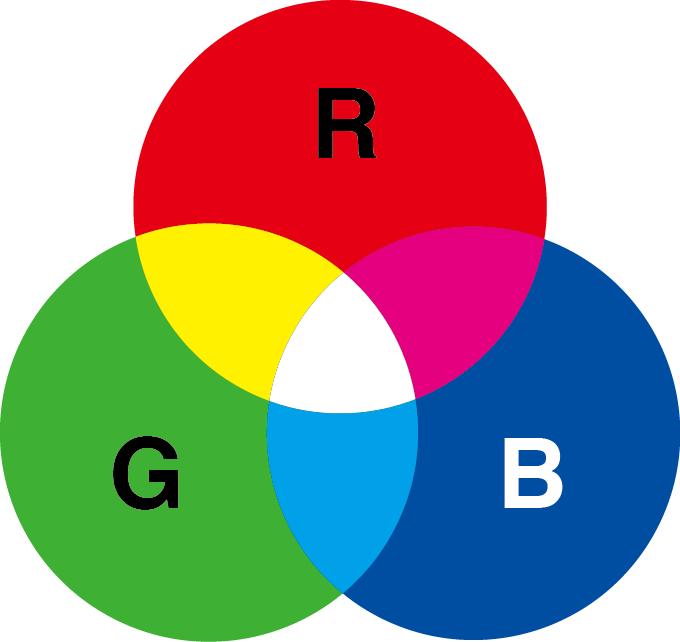
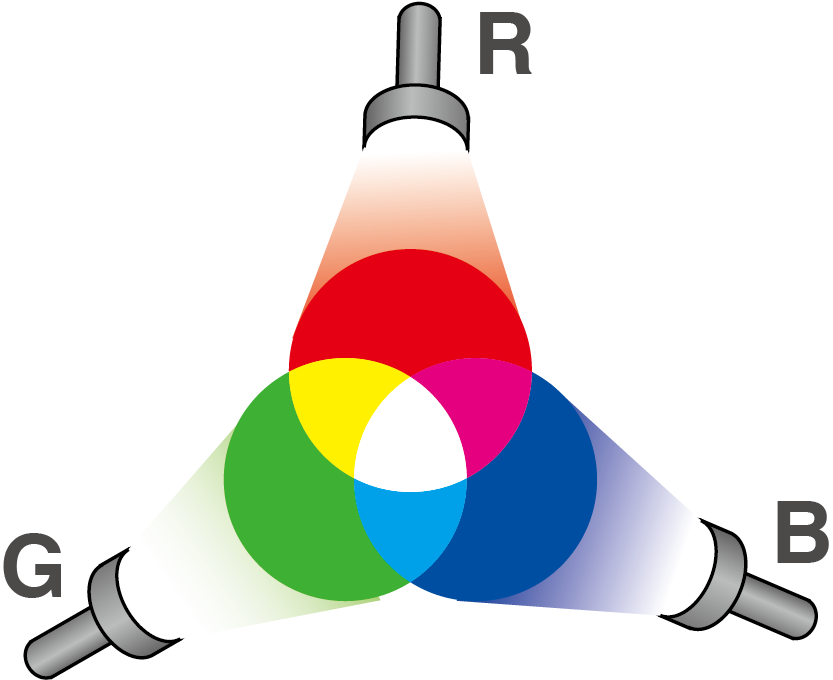
When R, G, and B are mixed at full intensity, the result approaches white.
RGB is used for devices that emit light, such as computer monitors, smartphones, TVs, and tablets.
What is CMYK?
CMY refers to the “subtractive primaries”: Cyan, Magenta, and Yellow. These inks work by absorbing (subtracting) light. As more ink is added: Colors become darker.
All commercial printing, use CMYK inks, so artwork must be prepared in CMYK to avoid unexpected color changes.
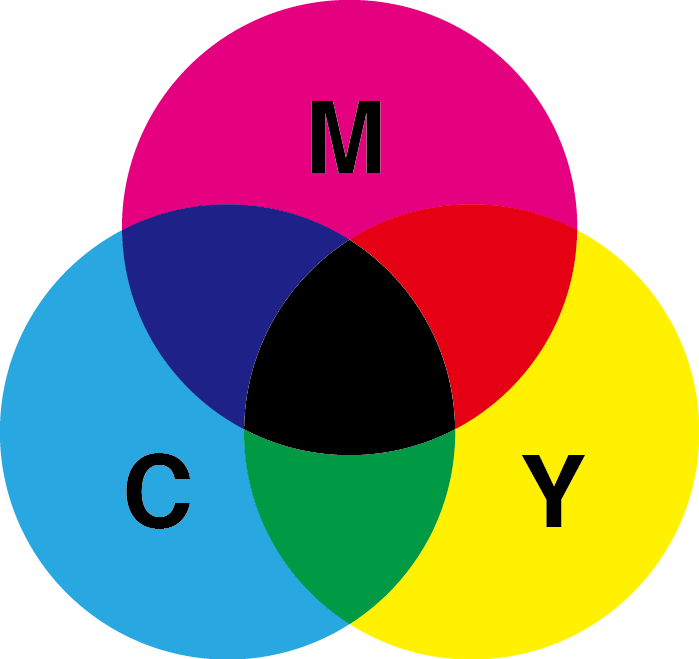
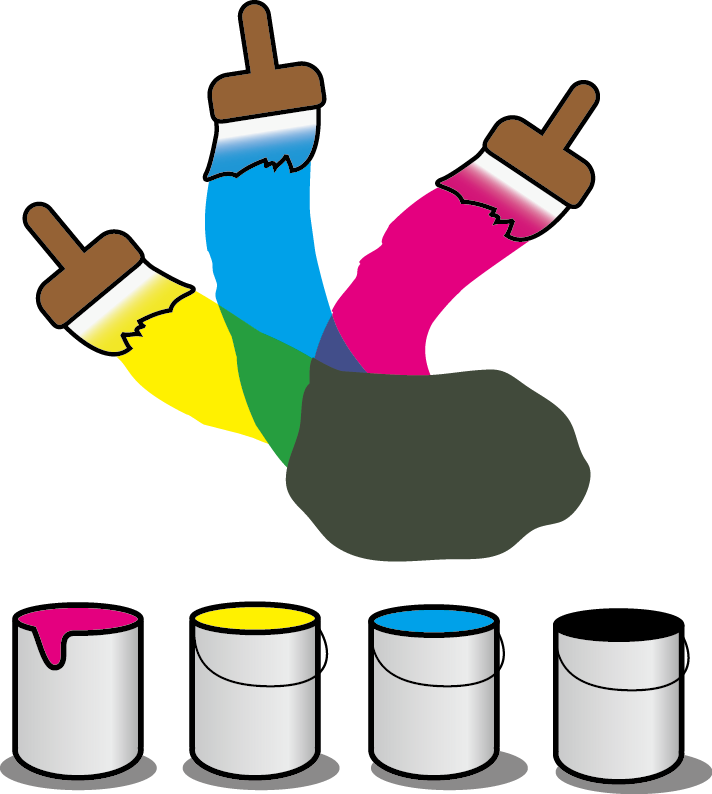
In theory, mixing C, M, and Y completely should produce black, but in real printing, this black is not clean or deep enough. For this reason, printing uses CMYK, where K (Black) is added to create stable, rich black tones and better control over shadows and fine detail.



