About Text Cutting

Creating Data
Safety Area
During the trimming process after printing, a small amount of cutting shift is unavoidable due to the nature of the machinery. To prevent important text or graphics from being cut off, please keep the following points in mind when preparing your artwork.
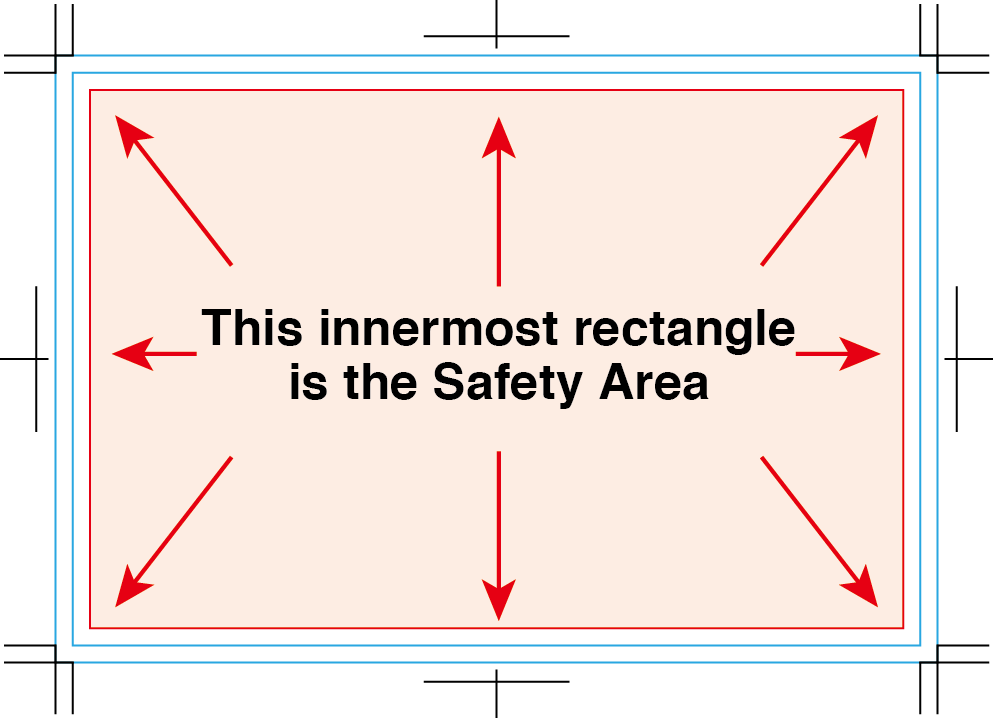
Placement of Text and Logos
If the trim line shifts slightly inward, any text or logo placed too close to the edge may be cut off.
To avoid this, all important text, logos, and design elements must be placed at least 3 mm inside the trim line — this area is commonly called the safety area (safe zone).
Illustrator tip:
Turn on Rulers → drag guides to mark a 3 mm inset from each edge. Place all important content within this safe zone.
Designs With Borders (Frames Around the Edge)
Designs that include a border close to the edges of the paper are not recommended.
Why?
Even a small trimming shift (1–3 mm) becomes very noticeable when a frame exists around the edge.
This may cause the border to appear thicker on one side and thinner on another.
Because trimming shift cannot be completely eliminated, perfectly even border widths cannot be guaranteed.
For this reason, if you plan to use a framed design, we kindly ask that you understand the limitations of the trimming process.
Recommendation:
If you must include a border, place it several millimeters inside the trim line, not on the very edge — this greatly reduces visible unevenness.



